
Introduction
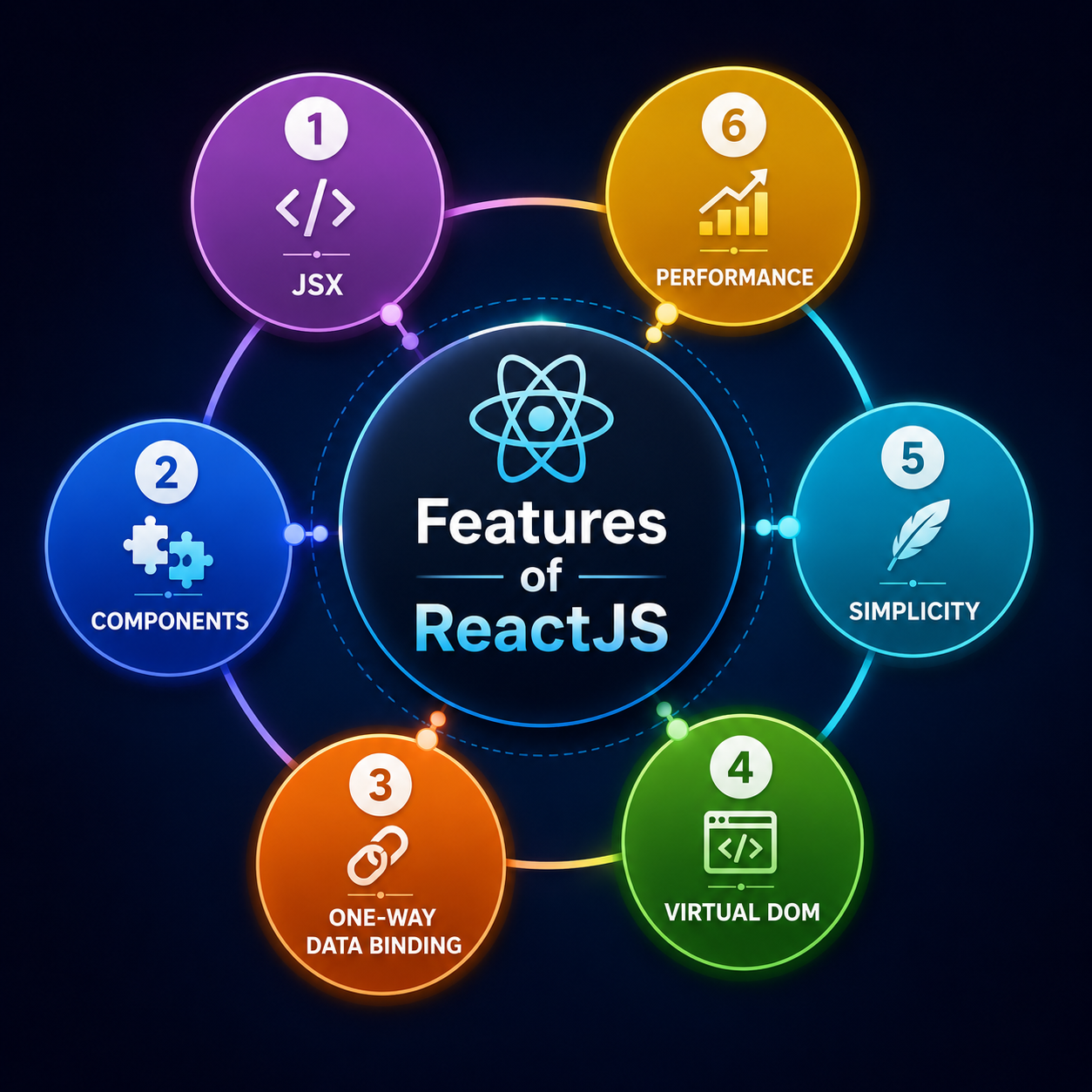
React JS is a free and open-source front-end JavaScript library developed and maintained by Meta (formerly Facebook) and a large community of individual developers and companies. Since its public release in 2013, React has grown to become one of the most popular and widely used libraries for building user interfaces, particularly for single-page applications where data changes over time without requiring a full page reload.
React's component-based architecture allows developers to build encapsulated components that manage their own state, then compose them to make complex UIs. Because React is only concerned with the view layer of an application, it can be used alongside other libraries or frameworks for routing, state management, and data fetching. This flexibility has made React the library of choice for millions of developers worldwide.
Whether you are building a simple landing page or a complex enterprise application, React provides the tools and patterns you need to create fast, maintainable, and scalable user interfaces. In this guide, we cover the 6 essential tips every beginner must know to get started with React JS in 2024.
Why Use React JS?
React JS has become the dominant choice for front-end development for a number of compelling reasons. Understanding why React is so widely adopted helps beginners appreciate the problems it solves and the advantages it brings to modern web development.
- Virtual DOM for performance: React uses a virtual DOM — a lightweight in-memory representation of the real DOM. When state changes, React calculates the minimal set of changes needed and updates only those parts of the real DOM, resulting in significantly better performance than frameworks that re-render entire pages.
- Component reusability: React's component model encourages building small, self-contained UI pieces that can be reused across an application or even across different projects, reducing development time and improving consistency.
- Unidirectional data flow: Data in React flows in one direction — from parent to child components via props. This makes applications easier to understand, debug, and test because the source of truth for any piece of data is always clear.
- Rich ecosystem: React is supported by a vast ecosystem of libraries, tools, and community resources. From React Router for navigation to Redux and Zustand for state management, there is a well-maintained solution for virtually every development need.
- Strong community and job market: React is one of the most in-demand skills in front-end development. Learning React opens doors to a large number of job opportunities and provides access to an active community of developers who share knowledge, libraries, and best practices.
- React Native for mobile: Knowledge of React JS transfers directly to React Native, allowing developers to build native mobile applications for iOS and Android using the same component model and JavaScript skills.
React create-React-App
Create React App (CRA) is the officially supported way to create single-page React applications. It sets up a modern build environment with no configuration required, allowing beginners to focus on writing code rather than configuring build tools. CRA includes everything you need to start building a React application out of the box.
To create a new React application using Create React App, you need Node.js and npm installed on your machine. Once those are in place, a single command scaffolds a complete project structure with a development server, hot reloading, and a production build pipeline:
- npx create-react-app my-app — Creates a new React project in a folder called my-app.
- cd my-app — Navigates into the project directory.
- npm start — Starts the development server and opens the app in your browser at localhost:3000.
- npm run build — Creates an optimised production build in the build folder.
While Create React App remains popular for beginners, many developers in 2024 are also adopting Vite as a faster alternative build tool. Vite offers significantly faster cold starts and hot module replacement, making the development experience noticeably snappier for larger projects. Both tools are valid choices — CRA for its simplicity and official support, Vite for its speed and modern architecture.
Requirements
Before you start building React applications, you need to have a few tools and foundational skills in place. Meeting these requirements will ensure a smooth learning experience and allow you to follow along with tutorials and documentation without unnecessary friction.
Technical requirements
- Node.js (v18 or later): React development relies on Node.js for running build tools, the development server, and package management. Download the LTS version from nodejs.org.
- npm or Yarn: Node Package Manager (npm) comes bundled with Node.js and is used to install React and its dependencies. Yarn is a popular alternative with some performance advantages.
- A modern code editor: Visual Studio Code is the most popular choice for React development, with excellent support for JavaScript, JSX syntax highlighting, and a rich extension ecosystem including ESLint, Prettier, and React-specific snippets.
- A modern web browser: Chrome or Firefox with the React Developer Tools extension installed makes debugging React applications significantly easier.
- Git: Version control is essential for any development project. Familiarity with basic Git commands will help you manage your code and collaborate with others.
Knowledge requirements
- HTML and CSS fundamentals: React renders HTML elements and applies CSS styles, so a solid understanding of both is essential.
- JavaScript (ES6+): React makes heavy use of modern JavaScript features including arrow functions, destructuring, spread operators, template literals, modules, and Promises. Comfort with these concepts is important before diving into React.
- Basic understanding of the DOM: Understanding how browsers represent and manipulate web pages helps you appreciate what React's virtual DOM is doing under the hood.
React Features
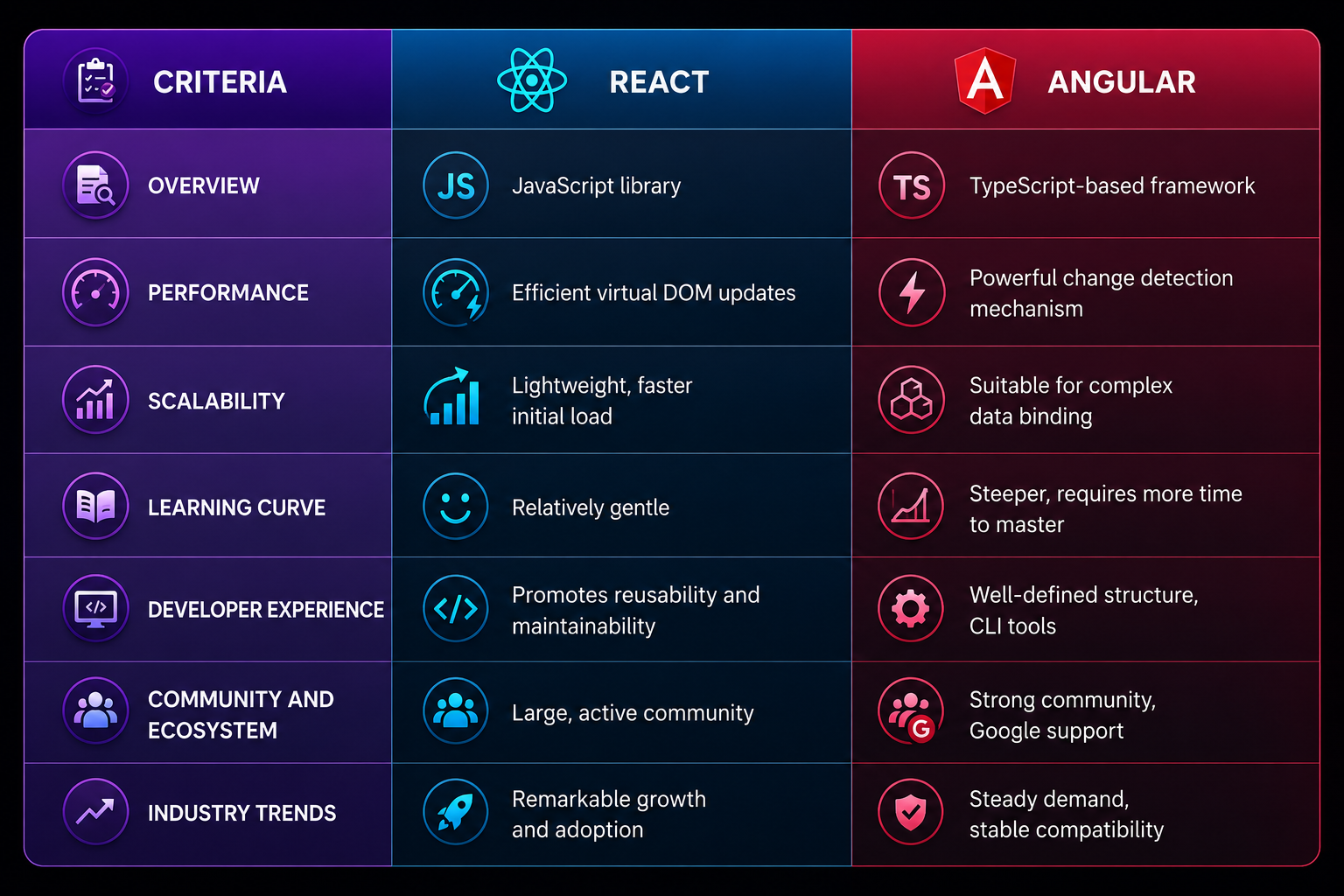
React comes with a set of powerful features that distinguish it from other front-end libraries and frameworks. Understanding these features is key to writing idiomatic, efficient React code.
JSX (JavaScript XML)
JSX is a syntax extension for JavaScript that allows you to write HTML-like markup directly inside JavaScript code. JSX makes it intuitive to describe what the UI should look like and is compiled to regular JavaScript function calls by tools like Babel. While JSX is not required to use React, it is the standard approach and is used in virtually all React codebases.
Components
Components are the building blocks of React applications. A component is a reusable, self-contained piece of UI that accepts inputs (called props) and returns React elements describing what should appear on screen. React supports two types of components: function components (the modern standard) and class components (the legacy approach). Function components combined with hooks are the recommended way to write React code in 2024.
Props and State
Props (short for properties) are read-only inputs passed from a parent component to a child component. State is mutable data managed within a component that, when changed, triggers a re-render. The useState hook is the primary way to add state to function components. Understanding the distinction between props and state is fundamental to building React applications correctly.
Hooks
Hooks are functions that let you use state and other React features in function components. The most commonly used hooks are useState for managing local state, useEffect for handling side effects such as data fetching and subscriptions, useContext for consuming context values, and useRef for accessing DOM elements directly. Custom hooks allow you to extract and reuse stateful logic across multiple components.
Context API
The Context API provides a way to share data between components without having to pass props through every level of the component tree — a problem known as prop drilling. Context is ideal for global data such as the current authenticated user, theme settings, or language preferences.
React.js VS Angular.js
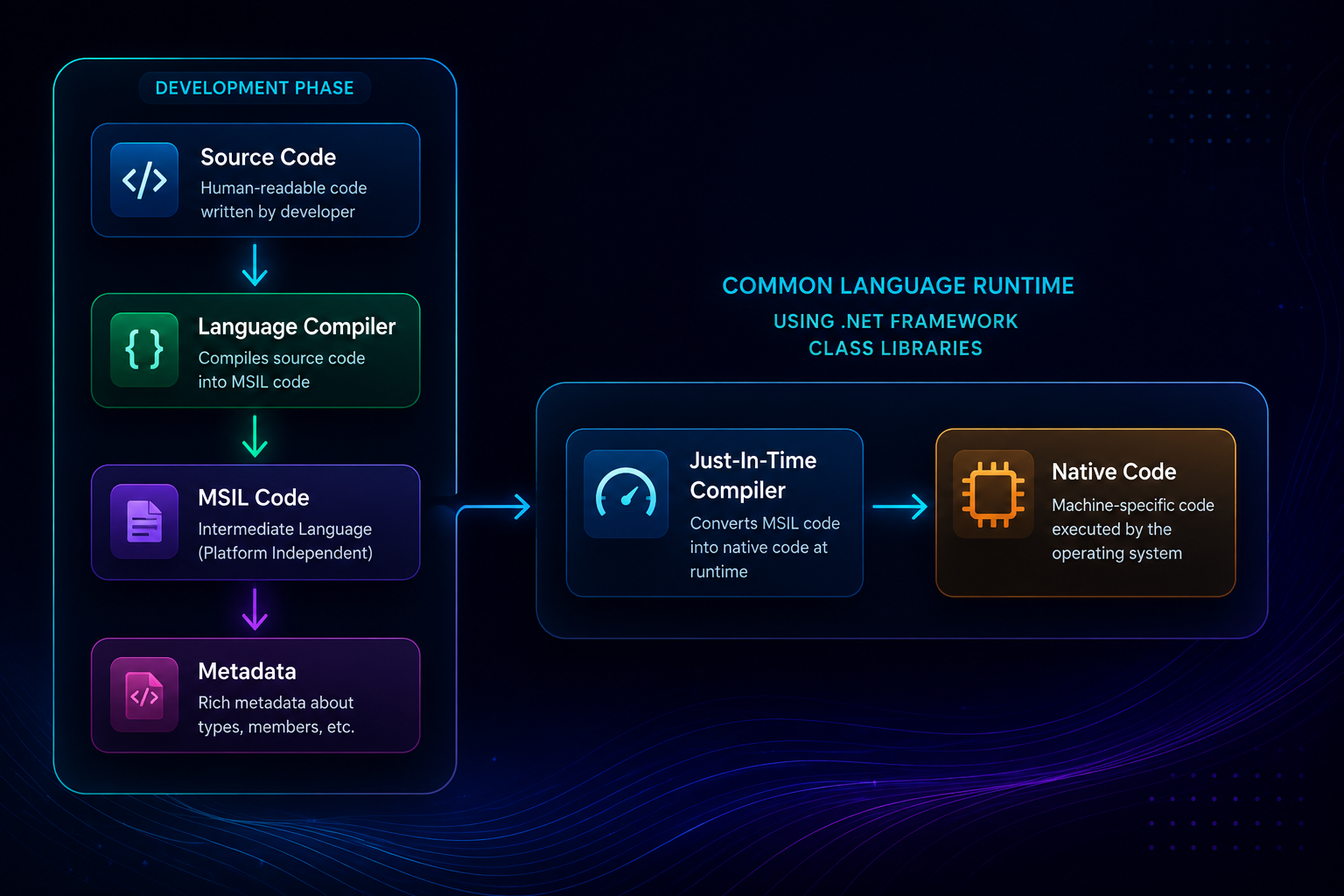
React and Angular are two of the most popular choices for building modern web applications, but they take fundamentally different approaches. Understanding the key differences helps you choose the right tool for your project and career goals.
Type
React is a UI library focused exclusively on the view layer. It handles rendering and component composition but leaves routing, state management, and other concerns to third-party libraries. Angular is a full-featured framework that provides a complete, opinionated solution for building web applications, including routing, forms, HTTP client, dependency injection, and more — all built in.
Language
React is written in JavaScript (with optional TypeScript support). Angular is built with TypeScript and strongly encourages its use, making TypeScript knowledge a practical requirement for Angular development. Both approaches have merit — JavaScript's flexibility versus TypeScript's type safety and tooling support.
Learning curve
React has a gentler initial learning curve because it introduces fewer new concepts at once. You can start building useful UIs with just a basic understanding of components, props, and state. Angular has a steeper learning curve due to its comprehensive feature set, TypeScript requirement, and concepts like decorators, modules, and dependency injection.
Performance
Both React and Angular deliver excellent performance for most applications. React's virtual DOM minimises direct DOM manipulation, while Angular uses change detection strategies and ahead-of-time (AOT) compilation to optimise rendering. For most real-world applications, the performance difference is negligible — architecture and implementation quality matter far more than the choice of framework.
Community and ecosystem
React has a larger community and a more extensive ecosystem of third-party libraries. Angular has a more integrated ecosystem with official solutions for most common needs. React's flexibility means more choices but also more decisions; Angular's opinionated nature means less flexibility but more consistency across projects.
Use cases
- Choose React when you want flexibility, a large talent pool, or plan to build mobile apps with React Native alongside your web application.
- Choose Angular when you need a complete, opinionated framework for large enterprise applications where consistency and built-in tooling are priorities.
Share This Post
2 Responses
Dev Learner
August 30, 2024The section on hooks is super clear. I've been confused about useState and useEffect for a while and this explanation finally made it click. Thanks for the great article!
AthenaS Reader
August 29, 2024This is exactly what I needed as a beginner! The React vs Angular comparison really helped me decide which one to focus on first. Going with React — the ecosystem looks amazing.